-
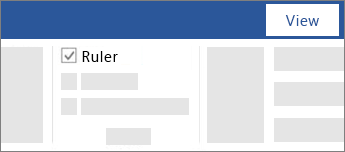
Go to View and select Ruler.
-
To show the vertical ruler
-
Go to File > Options > Advanced.
-
Select the Show vertical ruler in Print Layout view under Display.
-
M365 Word - Show the ruler

Go to View and select Ruler.
To show the vertical ruler
Go to File > Options > Advanced.
Select the Show vertical ruler in Print Layout view under Display.
Comments
0 comments
Please sign in to leave a comment.