
- Put your cursor where you want to add the table of contents.
-
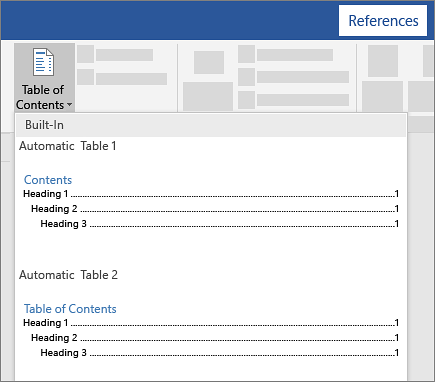
Go to References > Table of Contents. and choose an automatic style.
- If you make changes to your document that affect the table of contents, update the table of contents by right-clicking the table of contents and choosing Update Field.
To update your table of contents manually, see Update a table of contents.
If you have missing entries
Missing entries often happen because headings aren't formatted as headings.
- For each heading that you want in the table of contents, select the heading text.
-
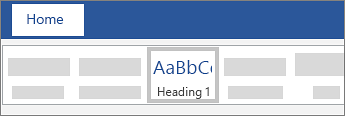
Go to Home > Styles, and then choose Heading 1.
- Update your table of contents.
Comments
0 comments
Please sign in to leave a comment.