
- Select Design > Paragraph Spacing.
Hover the cursor over each option to see a preview, and then select the option you want.
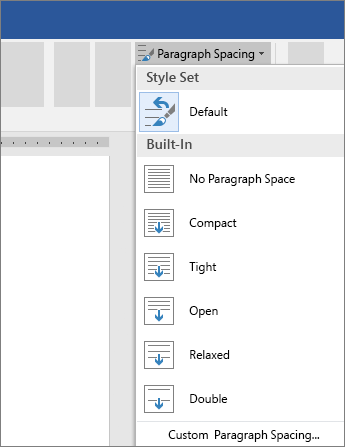
For single spacing, select No Paragraph Space.
Change line spacing for part of your document
- Select the paragraphs you want to change.
Select Home > Line and Paragraph Spacing, and choose the spacing you want.
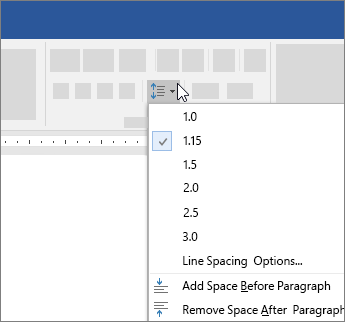
- To customize spacing, select Line Spacing Options. You can adjust several areas including spacing before and after paragraphs.
Comments
0 comments
Please sign in to leave a comment.