
If your agent is no longer needed, it's easy to remove it from your agents list. Follow these steps to uninstall your agent.
Delete your agent
- Browse to the Microsoft 365 Copilot app.
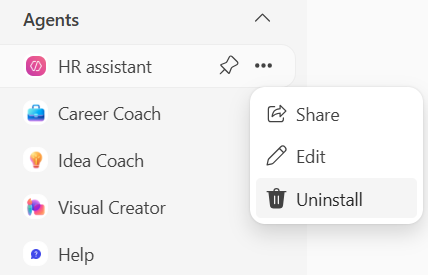
- Select your agent from the left pane, and then select ... (More) > Uninstall.
-
Select Uninstall again to confirm. Note that any saved prompts associated with this agent will remain in the Copilot Prompt Gallery.
Comments
0 comments
Please sign in to leave a comment.