
Mark your files as favorites to keep them front and center, ensuring quick access.
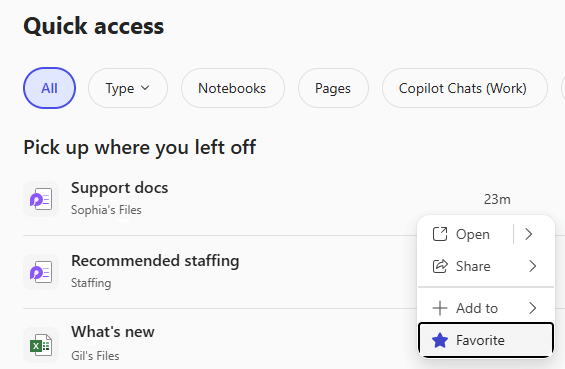
How to favorite a file in the Microsoft 365 Copilot app
- In the Microsoft 365 Copilot app select Search from the navigation bar on the left.
- Scroll down to the Quick Access section and find the file you want to favorite.
- Hover your mouse over the filename and select the More actions
button that appears to the right of the file name.
- Select Favorite.
Tip: To remove a file from your favorites, repeat the process from step 3 but select Unfavorite.
Comments
0 comments
Please sign in to leave a comment.